sadtalker audio-driven talking portraits
A single portrait and an audio track can be used to create a talking-face animation. Explore the project, examples and setup notes below.
Yu Guo 1 · Ying Shan 2 · Fei Wang 1
1 Xi'an Jiaotong University 2 Tencent AI Lab 3 Ant Group

Highlights
- The project license was updated to Apache 2.0, removing the earlier non-commercial restriction.
- SadTalker has also been integrated into a community chat experience for sharing files and exploring talking portraits. Available features depend on the service you use.
- A community extension connects this workflow with stable-diffusion-webui. See the extension notes and related examples.
- Full-image animation is supported in the project. Read the usage notes.
| Still + enhancer in v0.0.1 | Still + enhancer in v0.0.2 | Input image |
|---|---|---|
Earlier example |
Enhanced full-image example 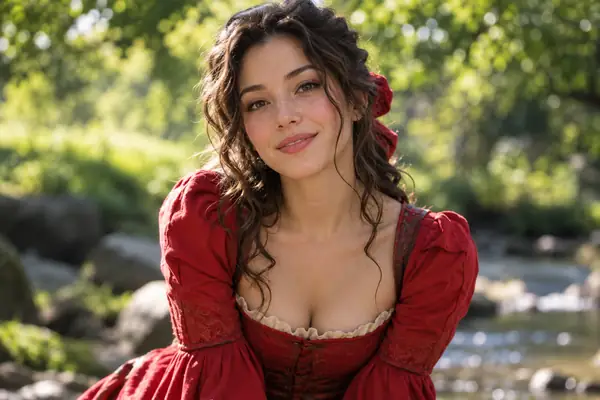 |
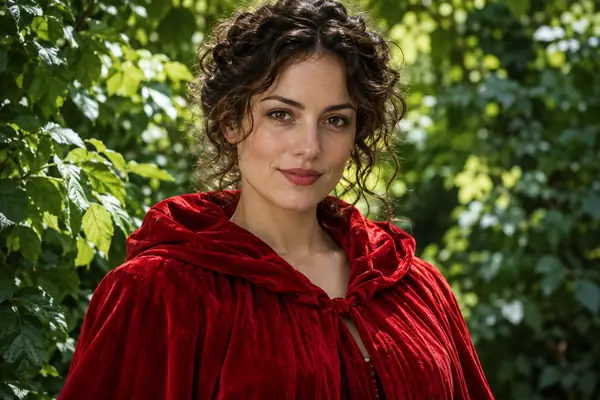 |
- Still, reference and resize modes offer additional ways to prepare a portrait.
- Community members have shared demonstrations and examples across video platforms.
Changelog
A selection of project updates and release notes follows.
- [2023.06.12] New features were added to the WebUI extension.
- [2023.06.05] A beta 512 × 512 face model was released alongside fixes and performance improvements.
- [2023.04.15] A community WebUI notebook became available.
- [2023.04.12] More detailed installation guidance and reinstall fixes were added.
- [2023.04.12] WebUI package-safety issues and output paths were addressed.
- [2023.04.08] Version 0.0.2 briefly introduced a video watermark; it was removed in a later release.
- [2023.04.08] Full-image animation, additional model download options and enhancer changes arrived.
Project notes
The release history documents changes to portrait rendering, model packaging and the WebUI. For current setup decisions, start with the installation and quick-start sections below rather than relying on an older example.
To-Do
New project updates and proposed improvements are tracked by the maintainers.
Troubleshooting
Before opening an issue, check the setup steps and the answers below for common questions.
FAQ
What does SadTalker need as input?
The project animates a source portrait using a driving audio file. Its command-line example accepts an image or video source.
Can I work with more than a close-up face?
The documented still and full preprocessing options cover full-image examples. Results depend on the source image and chosen settings.
Does the prompt form generate a video here?
No. This page explains the project and passes your idea to the destination site. Any upload or generation takes place there.
1. Installation.
Community tutorials are available for Windows and other platforms. The basic setup paths are summarized here.
Linux/Unix
- Install Anaconda, Python and
git. - Create an environment and install the project requirements.
git clone https://github.com/OpenTalker/SadTalker.git
cd SadTalker
conda create -n sadtalker python=3.8
conda activate sadtalker
pip install torch==1.12.1+cu113 torchvision==0.13.1+cu113 torchaudio==0.12.1
conda install ffmpeg
pip install -r requirements.txt

# Coqui TTS is optional for the Gradio demo.
Windows
Install the prerequisites, then follow the project’s Windows setup instructions:
- Install Python 3.8 and select “Add Python to PATH.”
- Install Git manually or through a package manager.
- Install
ffmpeg. - Clone the SadTalker repository.
- Download the required checkpoints and enhancement models.
- Launch the local WebUI using the supplied Windows launcher.
macOS
Use the project’s macOS installation guidance and check dependency compatibility for your machine.
Docker, WSL, etc
Additional community setup guides cover container and Windows Subsystem for Linux environments.
2. Download Models
On Linux or macOS, the project provides a script for downloading its model files:
bash scripts/download_models.shAn offline GFPGAN patch is also documented so its models do not need to be fetched during generation.
Pre-Trained Models
- Project release files
- Community-hosted model downloads
- Alternative regional download mirrors
GFPGAN Offline Patch
- Offline enhancement weights
- Release files and download mirrors
- Model details and folder structure
Model Details
The model package includes motion mapping, face rendering and optional face-enhancement components. Check the project documentation for the files required by your chosen workflow.
3. Quick Start
Review the project’s configuration advice before choosing a demo or command-line workflow.
WebUI Demos
Online demo: Community-hosted demonstrations can help you inspect the workflow before local installation.
Local WebUI extension: See the extension’s setup notes for supported configurations.
Local Gradio demo: The project includes an application script:
# Install optional TTS dependencies separately if needed.
python app_sadtalker.py
You can also use the platform-specific WebUI launchers:
- Windows: run
webui.bat. - Linux/macOS: run
bash webui.sh.
CLI usage
Animating a portrait image from the default configuration:
python inference.py --driven_audio <audio.wav> \
                    --source_image <video.mp4 or picture.png> \
                    --enhancer gfpgan
The project saves generated videos in a timestamped results directory.
Full body/image generation:
Use the documented still and full preprocessing options when working with a wider portrait or full image.
python inference.py --driven_audio <audio.wav> \
                    --source_image <picture.png> \
                    --result_dir <results-directory> \
                    --still \
                    --preprocess full \
                    --enhancer gfpgan
More examples and configuration guidance are available in the project’s best-practice documents.
Citation
If this research is useful in your work, consider citing the SadTalker paper:
@article{zhang2022sadtalker,
  title={SadTalker: Learning Realistic 3D Motion Coefficients
         for Stylized Audio-Driven Single Image Talking Face Animation},
  author={Zhang, Wenxuan and Cun, Xiaodong and Wang, Xuan
          and Zhang, Yong and Shen, Xi and others},
  journal={arXiv preprint arXiv:2211.12194},
  year={2022}
}
Acknowledgements
SadTalker builds on earlier work in talking-head synthesis, face rendering, 3D face reconstruction and lip synchronization. The project acknowledges the researchers and maintainers who shared those methods and implementations.
The implementation also uses third-party libraries for face utilities, face enhancement and image or video enhancement.
- Face utilities: facexlib
- Face enhancement: GFPGAN
- Image/video enhancement: Real-ESRGAN
Extensions:
- Community video lip-sync extensions provide a route for editing speech-driven video portraits.
Disclaimer
This independent informational page is not an official product of Tencent or the SadTalker research team.
- Read the applicable open-source license before using project code or models.
- Respect intellectual-property rights and obtain consent for any portrait or audio you use.
- Review the privacy and legal requirements that apply to any service you provide to others.
- Do not imply endorsement by the original researchers or their institutions.
- Do not use portrait-animation technology to deceive, defraud or harm others.
- Follow applicable laws, platform rules and responsible-use practices.
Illustrative portraits on this page are examples, not outputs generated by the form above.